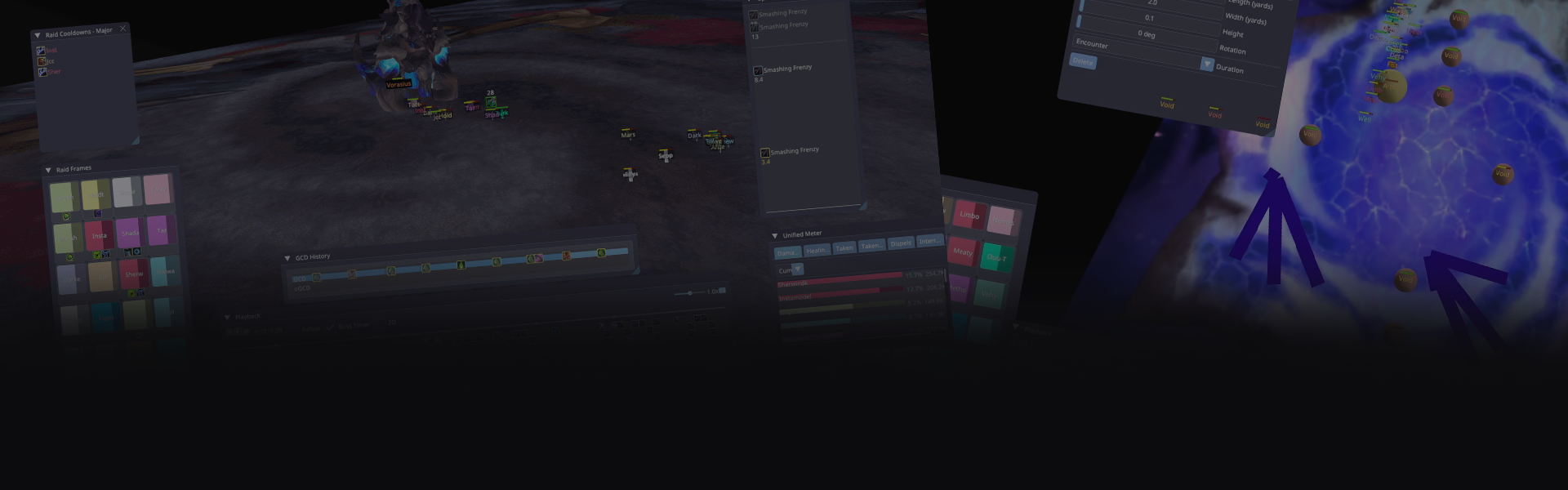
3D Combat Log Visualizer
AwowLab
A powerful 3D combat log visualizer for World of Warcraft. Parse and replay your raid encounters with real-time positioning, damage meters, and spell tracking.
A powerful 3D combat log visualizer for World of Warcraft. Parse and replay your raid encounters with real-time positioning, damage meters, and spell tracking.
Watch AwowLab visualize your raid encounters in stunning 3D detail
Everything you need to analyze and improve your raid performance
Watch your raid's positioning in real-time 3D. See exactly where players were standing, how they moved, and when abilities were cast.
Track damage and healing with spell/target/pet breakdowns. Analyze performance metrics and identify areas for improvement.
Monitor health and power bars for all raid members in real-time. See who needs healing and track resource management.
Keep track of boss and add health bars. Monitor enemy positioning and track important debuffs and buffs.
Click to jump to any player death in the timeline. Quickly identify what went wrong and when.
Dungeon and raid maps rendered on the floor plane. Visualize encounters with accurate terrain representation.
8,000+ spell icons included automatically. Make it easier to identify abilities at a glance in the history panel.
Navigate through encounters frame-by-frame. Pause, rewind, and analyze specific moments in the fight.
Track spell casts with customizable filtering. See exactly when abilities were used and identify optimization opportunities.
Configure which spells appear in each UI panel. Customize your view to focus on the information that matters most.
Ctrl+click any spell icon to open its Wowhead page. Quickly look up spell details and mechanics without leaving AwowLab.
Click "Check for Updates" to get the latest version. Stay up-to-date with new features and improvements automatically.
Practice movement by following recorded player positions. Learn raid mechanics by replaying encounters from any player's perspective.
Download AwowLab and start analyzing your raid encounters
Download AwowLabUpdater.exe (178 KB) from the latest release. Put it in a folder where you want AwowLab installed, then double-click to run - it downloads everything automatically (~86 MB). AwowLab launches when complete!
Get started with AwowLab and check system requirements
AwowLabUpdater.exe (178 KB) from the latest releaseWorld of Warcraft\_retail_\Logs\)Join the community, get help, and share feedback
Join the AwowLab Discord community for bug reports, feedback, shared triggers, and HQ map textures. Connect with other users, share your experiences, and get help with any questions you might have.
World of Warcraft® and all related properties are registered trademarks or trademarks of Blizzard Entertainment, Inc. in the U.S. and/or other countries. This website and AwowLab are not affiliated with, endorsed, sponsored, or specifically approved by Blizzard Entertainment, Inc. AwowLab is a third-party tool that analyzes user-generated combat log files and is provided for personal, non-commercial use only.