What are Advanced Animations?
Advanced animations go beyond simple movement paths to include stationary effects, visual indicators, and directional mechanics. These animations help highlight critical moments, mark important locations, and show directional attacks that require raider attention during World of Warcraft encounters.
Unlike path animations that show movement, advanced animations use visual effects like pulsing, scaling, rotating, fading, and directional beams to indicate important mechanics. They're perfect for marking dangerous zones, showing where players need to stand, visualizing frontal attacks, or highlighting mechanics that require immediate attention.
Animation Types
Stationary Animations
Create animations that stay in place using pulse (scale), scale up/down, rotate, fade in/out, or bounce effects. Perfect for marking important locations, showing where players need to stand, or highlighting mechanics that require attention.
Misc Animations
Add visual rings (soak or avoid) and countdown timers to objects. Use rings to mark areas that need to be soaked or avoided, and countdown text to show timing for critical mechanics.
Frontal Beam Animations
Visualize frontal attacks and directional mechanics by creating beams attached to objects. These beams can rotate around their parent object to show sweeping attacks, helping raiders understand positioning and safe zones.
Text-to-Speech (Patreon)
Add text-to-speech entries to your animation timeline that speak during playback. Choose from multiple voices, adjust rate and pitch, and synchronize audio cues with your visual strategy. Perfect for providing audio instructions alongside visual mechanics. Learn more →
Screenshots
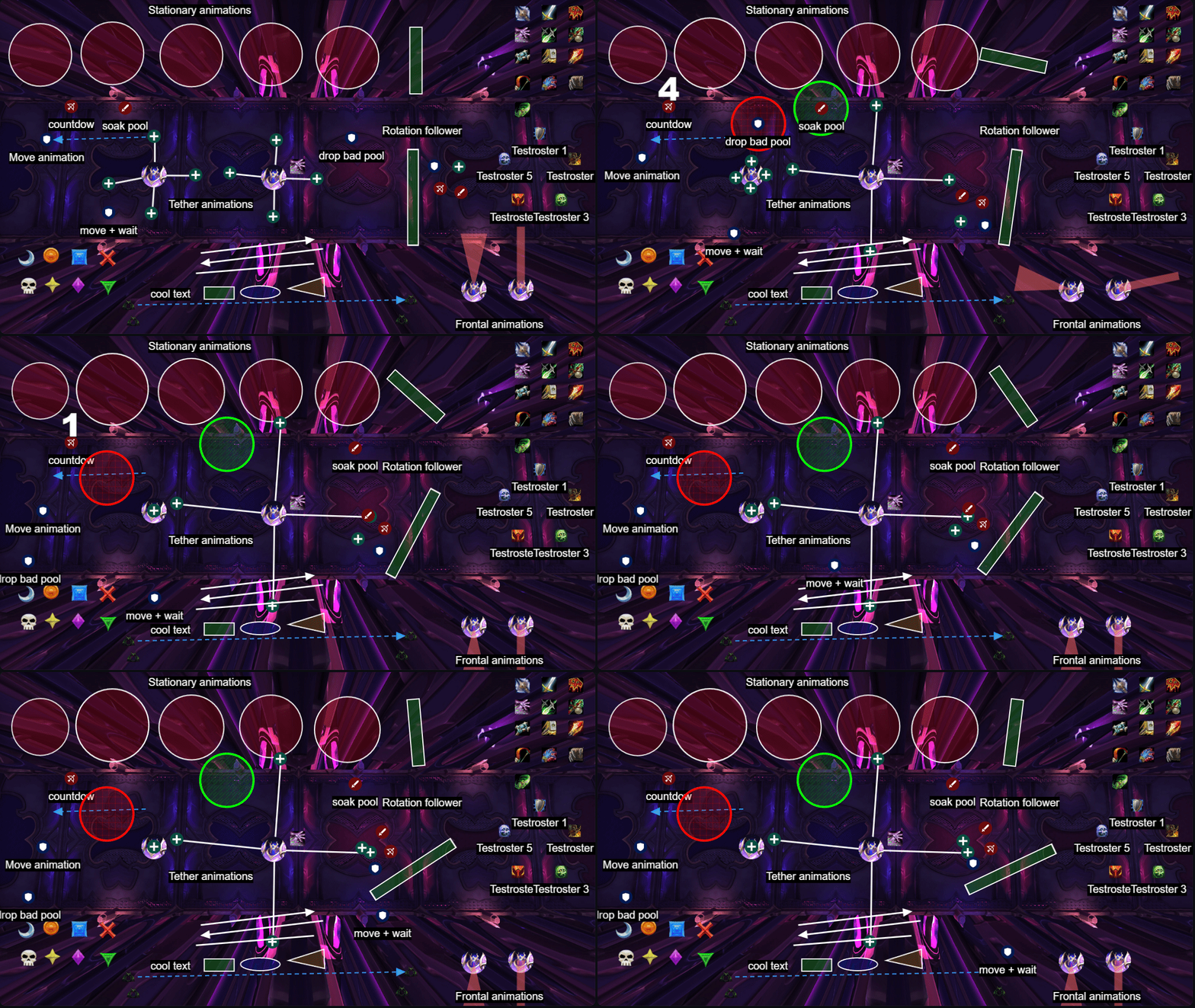
Perfect for Complex Mechanics
Advanced animations are essential for explaining complex World of Warcraft mechanics. Stationary animations can mark where players need to position using pulse, scale, rotate, or fade effects. Misc animations add rings to show soak/avoid areas and countdown timers for critical timing. Frontal beam animations visualize directional attacks and sweeping mechanics. Text-to-speech (Patreon) adds audio cues that speak during playback, providing additional instruction alongside visual mechanics. These visual and audio cues make it immediately clear what needs to happen, reducing explanation time and improving execution.
Combined with tether connections and path animations, advanced animations create comprehensive visual strategies that cover every aspect of an encounter. Use them together to build complete raid plans that leave no mechanic unexplained.
Pro Tip
Use color coding consistently across your animations. For example, use red for dangerous mechanics or avoid rings, yellow for warnings, green for safe zones or soak rings, and blue for beneficial effects. This color consistency helps raiders quickly understand the nature of each mechanic without needing to read detailed explanations.